Tree view
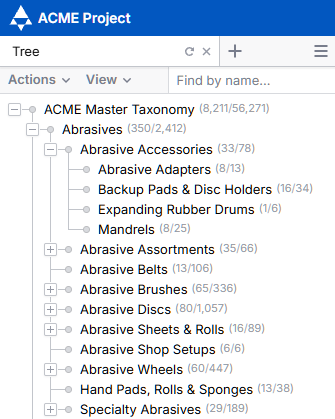
Within the project, hierarchies are displayed as a branching tree.
Each hierarchy level can be toggled to display child categories down to the terminal level.
Hierarchy Menu
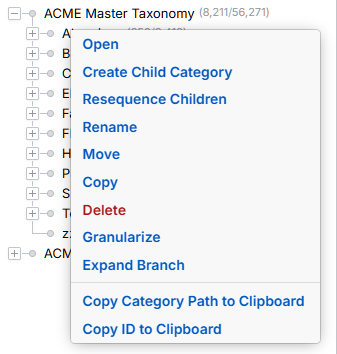
Right clicking anywhere in the hierarchy tree prompts a dropdown menu containing the following options:
Open
Opens the selected category. Categories will open to the default view in the last active pane.
Rename
Rename the selected category
Move
Move the selected category to a new location in the hierarchy
Delete
Delete the selected category or hierarchy branch.
Copy
Copy the selected category or hierarchy branch.
Create Child Category
Create a child category under the currently selected category.
Create Issue
Create a new issue on the category
Expand Branch
Open all child nodes under a selected branch.
Sequencing
Set the sequence of the child categories
Granularize
Granularize the hierarchy based on the values of a selected attribute.
Hierarchy Search
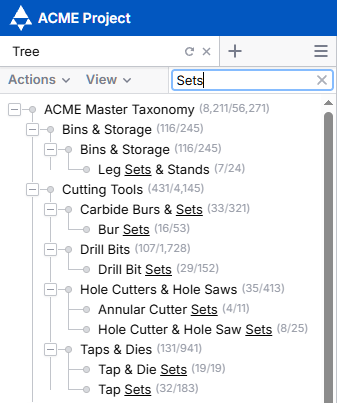
The search box can be used to enter all or part of a category name to search across all hierarchies and categories in a project.