Settings
Configurable parameters to customize your project
The Project Settings view allows a user to configure certain aspects of the project setup. There are four main tabs under the project settings: Summary, Item Tiers, Freeze and Preview.
Summary
The summary tab allows the user to define and edit the project name.
Item Tiers
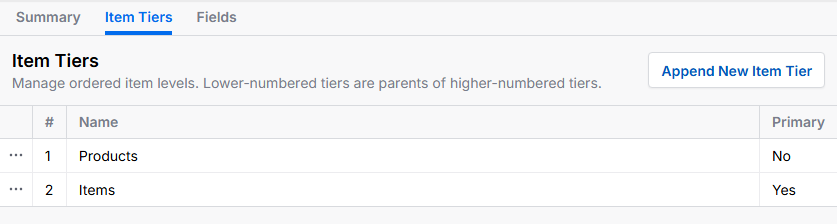
The Items Tiers tab allows a user to set and establish item tiers in a multi-tiered data model. For example, in the image below there are three tiers, each a subset of the others. The interface defines which tier is the primary tier and allows a user to rename or delete the tiers.
Preview Settings
The Preview settings allow a user to define which attribute is used for navigation in the Preview view.