Products
The primary “grid view” of items and attributes. Includes a toggle between product-level and item-level entities.
The Items tab contains a spreadsheet view of all the items and/or products in the category, with columns for standard or user defined metadata fields including Item ID, and a creation timestamp. The default item tier names can be updated in the project’s Item Tiers Settings.
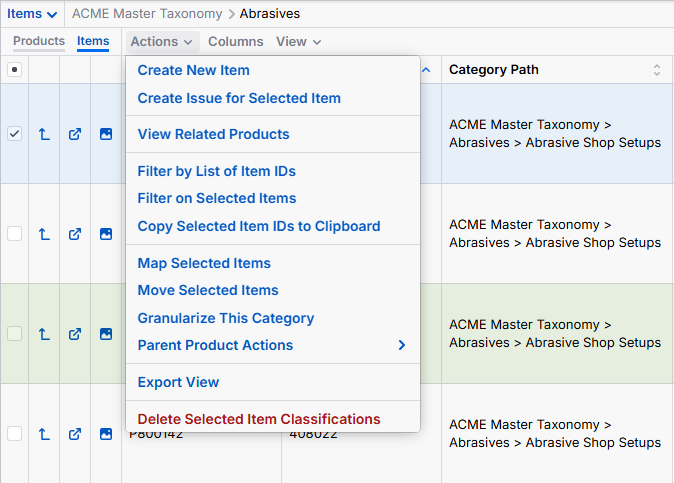
The Items tab features icons at the far left for “card view” and “image view” and can be customized to contain quick links to other content as needed (e.g., source url, data sheet)
A dropdown menu provides the following functionality:
- Create New Items
- Create new Attribute
- Delete Item Classification
- Create Issue
- Move Selected Items
- Fill Attribute Values & Field Values
- Transfer Values
- Export
- Parent Product Actions
- Filter on Selected Items